A quiet record of the small things in family care.
Lulnara keeps the day-to-day of feeds, sleep, symptoms and growth in one place – and turns it into the kind of summary a partner, a caregiver, or a clinician can actually use.
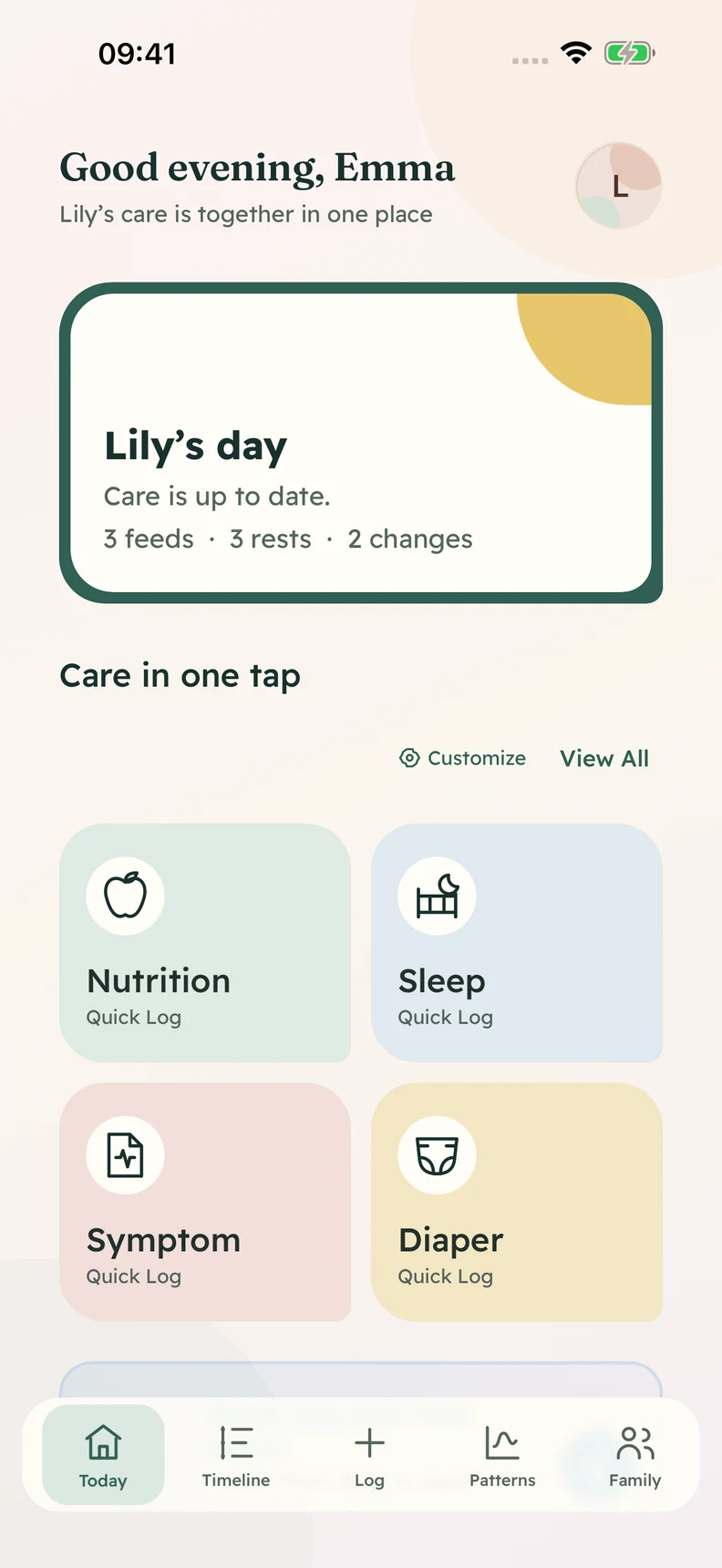
Most of family care happens between the appointments – in 3am feeds, in half-finished thoughts, in things you meant to write down and didn't. Lulnara is a small, careful place to keep those things, so the next person who needs them can pick up where you left off.
The everyday things Lulnara keeps
Feeding
Breast, bottle and solids
Sleep
Naps and nights
Symptoms
Temperature, rashes, medicine
Nappies
Wet, dirty or both
What Lulnara does.
Three small ideas, in order: log the day quickly, understand what changed, then share only the useful parts. The app does these three things and tries not to do many others.
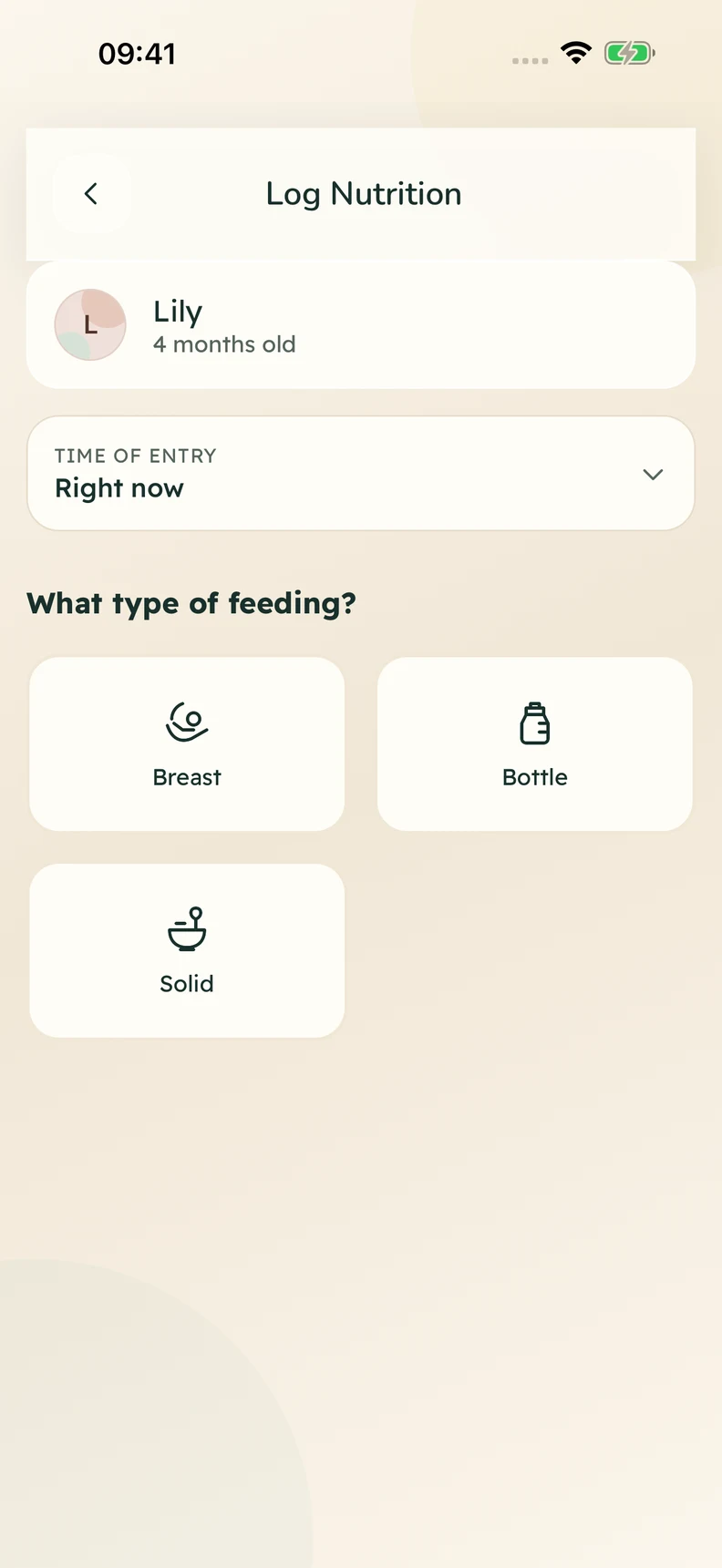
1Log
Record the day without stopping the day.
Feeds, naps, symptoms, medication, growth and notes go down in seconds – by tap or by voice – while the routine is still happening.
- Categories
- Feeds, sleep, symptoms, growth, mood, meds
- Capture
- One-tap entry, voice notes, recent activity
- Designed for
- Hands that are full
2Understand
See what changed without reading every entry.
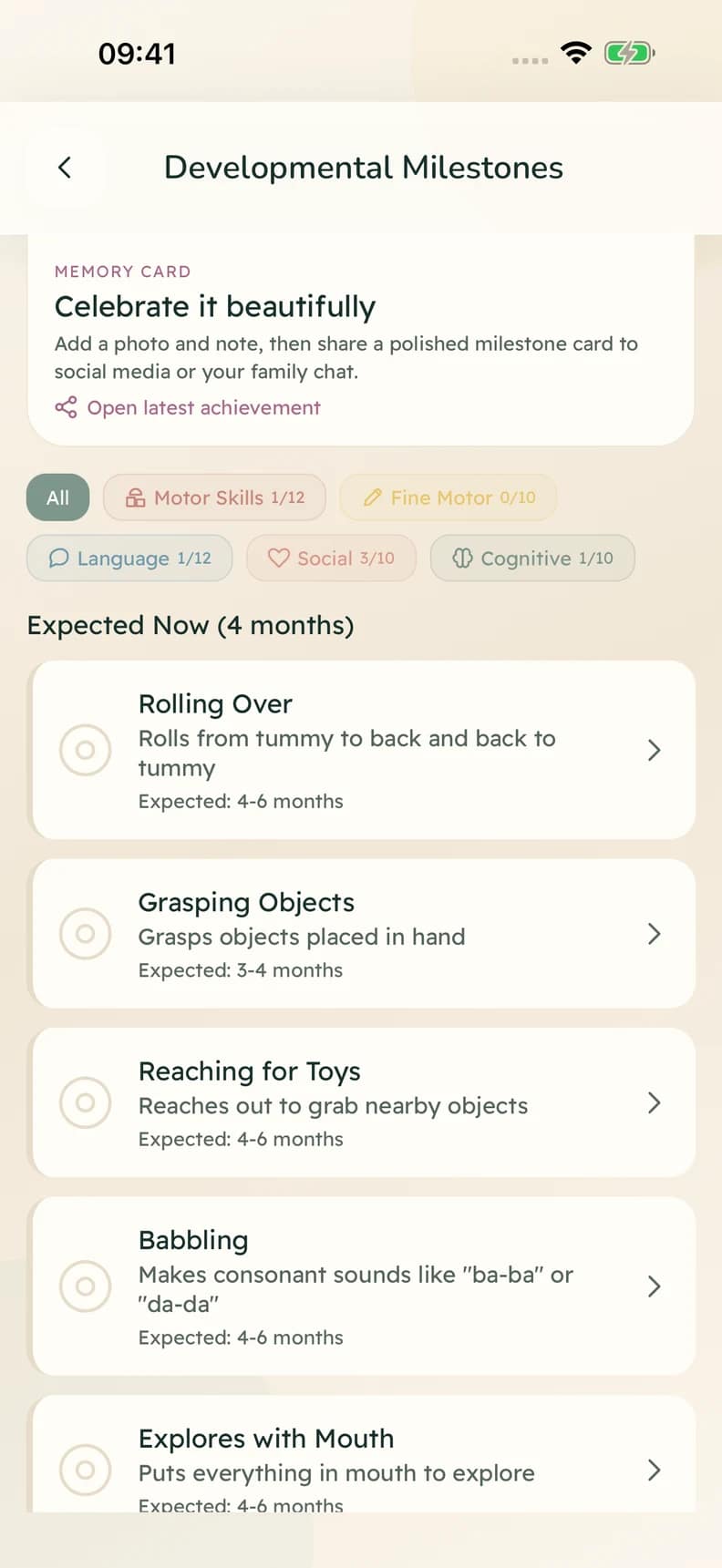
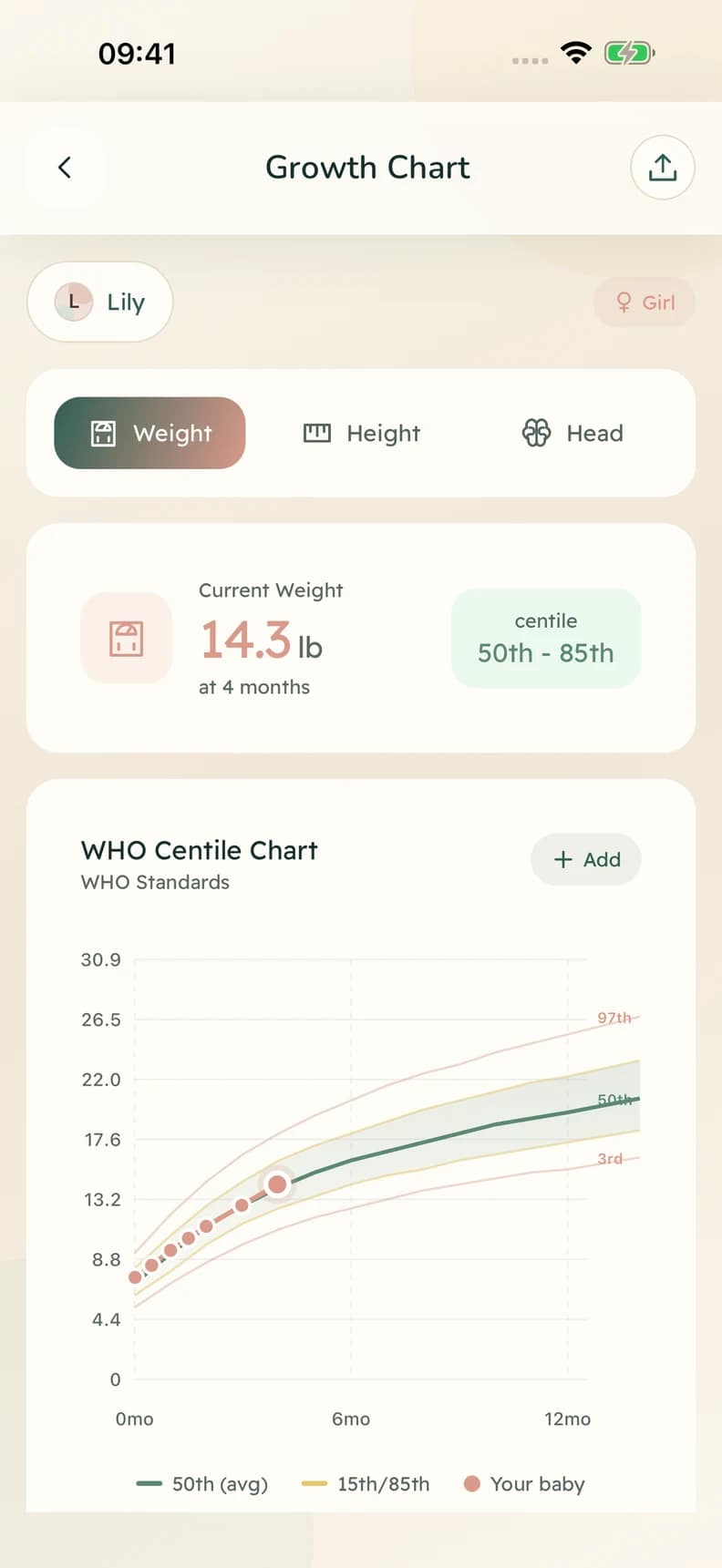
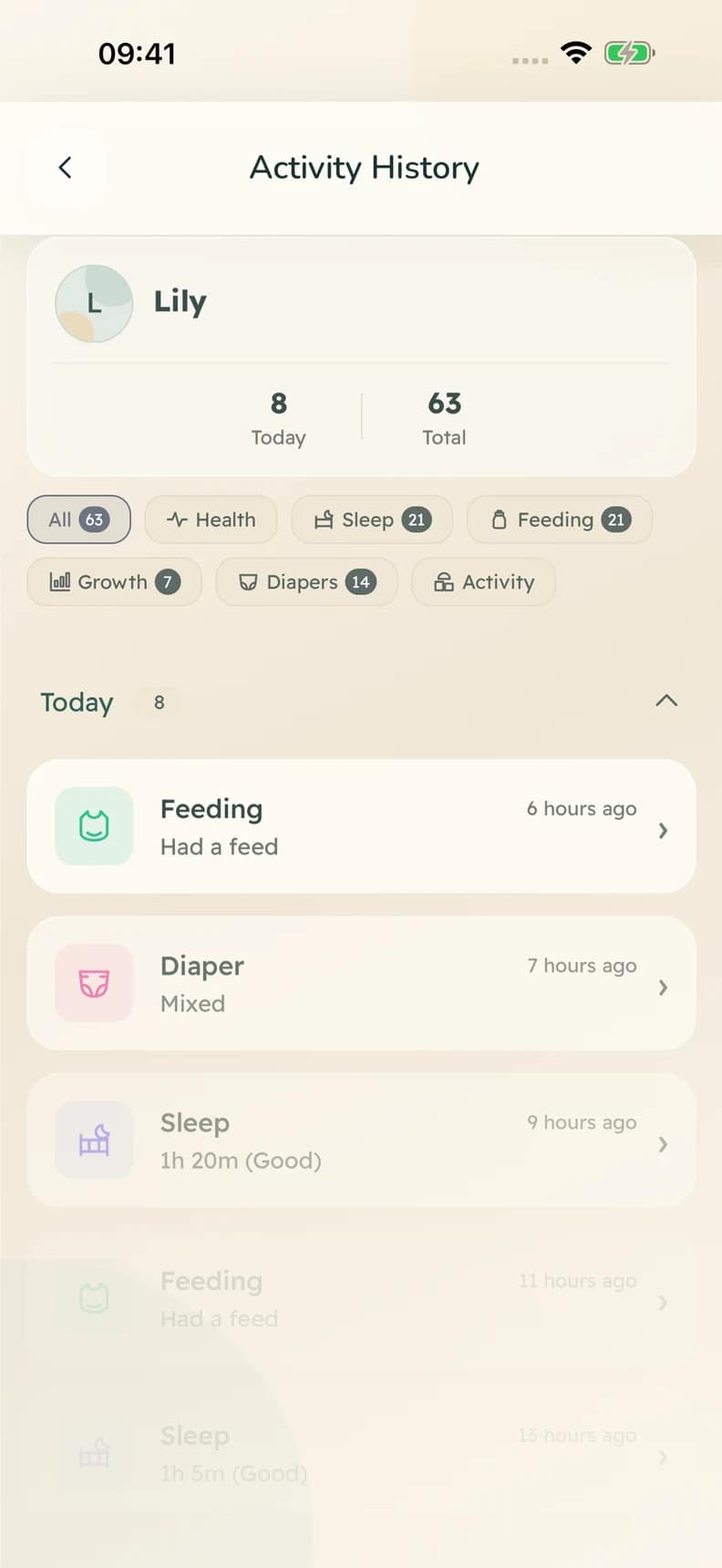
A clear timeline brings feeds, sleep and everyday care together. Follow growth and celebrate milestones, with the details there when you need them.
More ways to keep the story
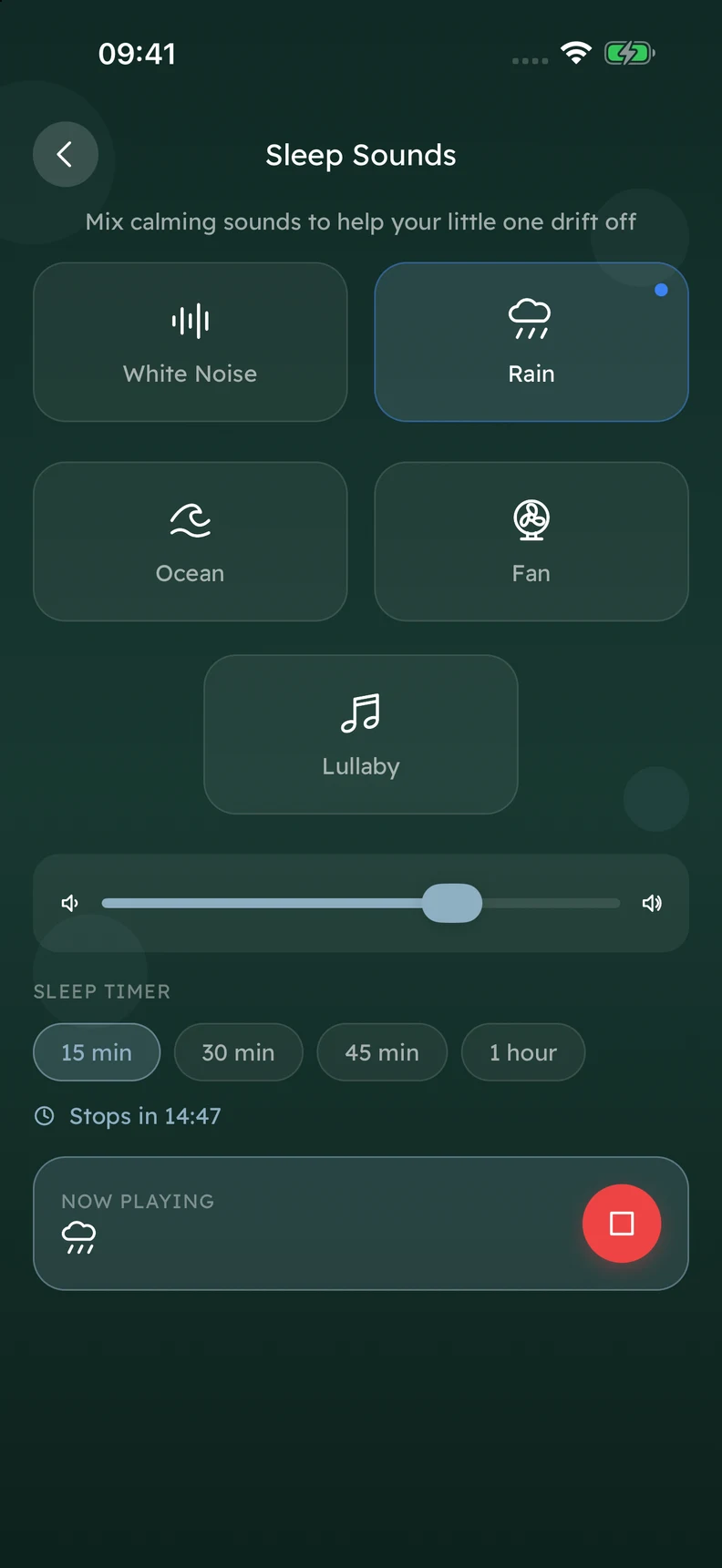
- Sleep sounds
- Milestones
- Growth
3Share
Hand over the useful parts – not the whole timeline.
Family sharing, handoff notes and doctor-ready summaries keep the next caregiver, partner or appointment focused on what actually matters today.
“The whole point is that the next person – the partner, the grandparent, the clinician – shouldn't have to read everything to understand today.”
From the field notes 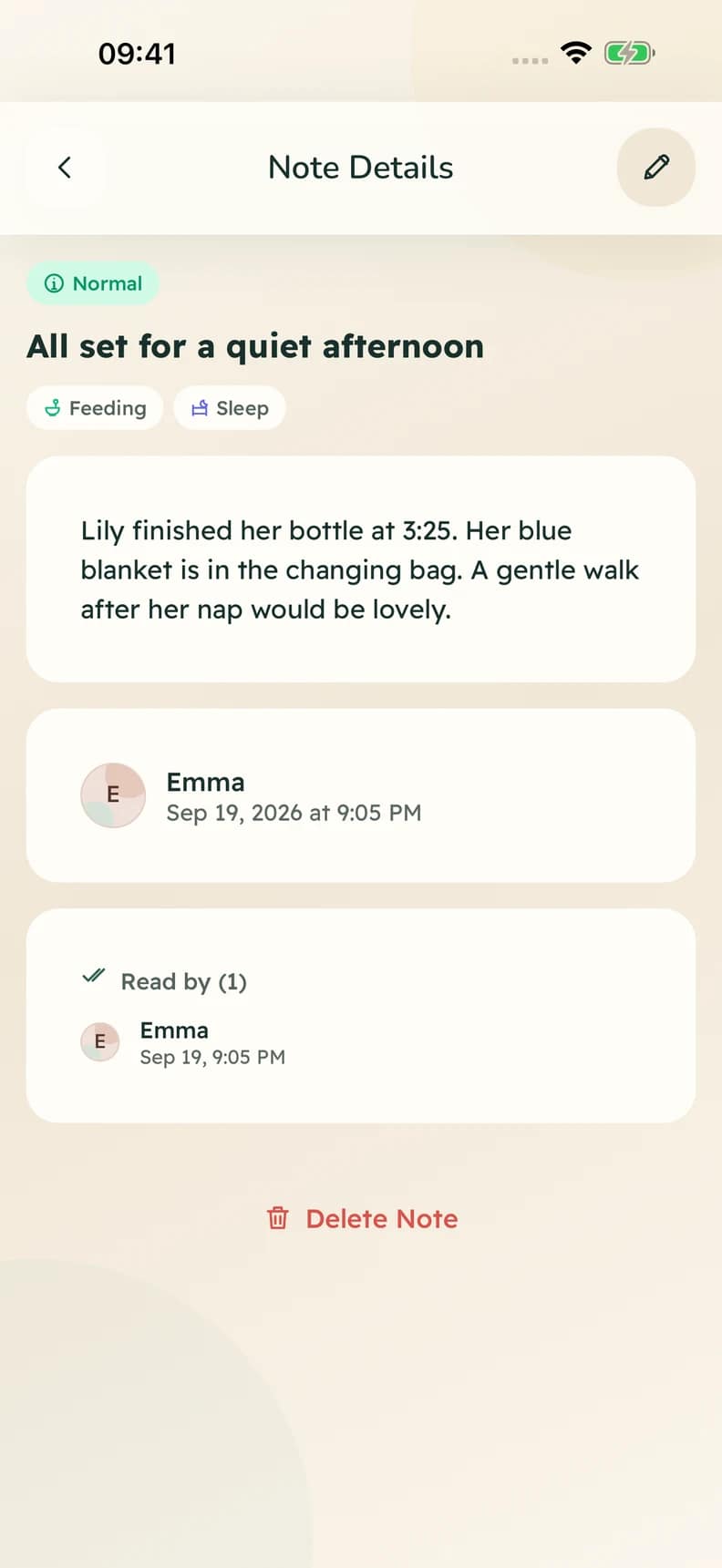
For 3am, for mid-feed, for one-handed.
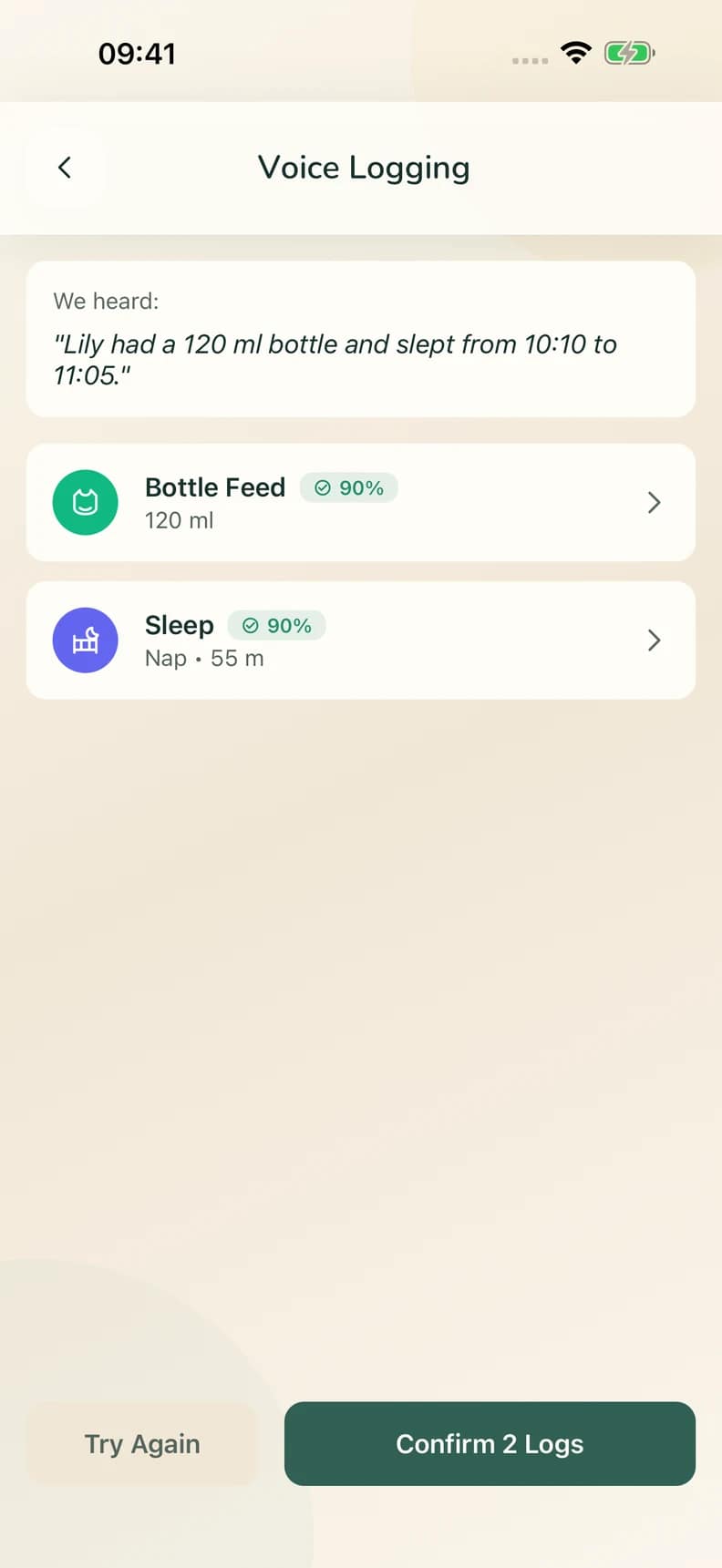
An assistant for the windows family care actually has – tired hands, quiet rooms, the wrong time to type. Practical questions, voice logging, short summaries. Clear about what it isn't.
- 1
Speak
Say what happened while the details are fresh, even when your hands are full.
- 2
Review
Check the suggested entry and edit any detail before it becomes part of the care record.
- 3
Save
Save when you are happy with it, ready for your timeline and the next caregiver.
Built for the days that get away from you.
Lulnara was shaped by life at home and the reality of family care: the forgotten bottle amount, the rash photo, the nap that threw the evening off, and the need to explain it clearly to someone else later.
- Authored
- Built from parenting experience and the everyday reality of care – the home, the handoff, and the appointment in the same product.
- Private
- The day-to-day of family life deserves secure access and clear controls. We don't sell, share, or surface it for ads.
- Honest
- Lulnara helps keep context clear. It is not, and won't pretend to be, a clinician, a diagnosis, or a treatment.
- Patient
- We answer every email, often slowly, always personally. The pace is the product, sometimes.
ICO registered
Praelion Health is registered with the UK's Information Commissioner's Office.
UK GDPR-aligned
Privacy practices are shaped around UK GDPR principles and clear user rights.
No ad model
No advertising profile, no sale of family data, and no behavioural ad targeting.
UK company
Lulnara is operated by Praelion Health Ltd, registered in England and Wales.
We made the smallest version of this we could. Then we sat with our families for a year before deciding what to keep.
A practical guide to calmer baby care tracking.
Use Lulnara as a simple shared memory for the day: log care in the moment, review patterns when you have space, and share a clean summary when someone else needs context.
- 1Set up
Create your baby profile and invite the right people.
Start with your child's name, date of birth, care routines and the caregivers who help. Partners, grandparents, nannies and relatives can be invited so everyone works from the same record instead of separate notes and messages.
- Add common feeds, medicines or routines as favourites.
- Use caregiver permissions so each person sees only what they need.
- Keep the profile simple at first; you can add detail later.
- 2Log
Record feeds, sleep, nappies, symptoms and notes in seconds.
Tap a category, add the useful detail, and move on. Lulnara is designed for one-handed moments: late-night feeds, quick nappy changes, medicine doses, weight checks, rash photos, appointments and small observations you do not want to lose.
- Use voice notes when typing is unrealistic.
- Log approximate times rather than trying to be perfect.
- Add a short note when something feels unusual.
- 3Understand
Review patterns without reading the whole timeline.
The sleep hub, feeding history, growth view and weekly summaries turn scattered entries into a clearer picture. Look for what changed: shorter naps, unsettled evenings, feeding gaps, symptoms after a new food, or growth trends worth discussing.
- Check weekly rather than obsessing over every entry.
- Use patterns as prompts, not diagnoses.
- Bring summaries to appointments when they help the conversation.
- 4Share
Hand over the useful parts to family, childcare or clinicians.
Use handoff notes for the next caregiver and doctor-ready summaries for appointments. The aim is not to share everything; it is to make the next conversation easier, clearer and less dependent on memory.
- Write handoff notes before naps, nursery, babysitting or shift changes.
- Export appointment summaries when you need a concise history.
- Keep private notes private unless sharing is genuinely useful.
Topics Lulnara covers
- Baby feeding tracker
- Breastfeeds, bottles, solids, quantities, timings and notes.
- Baby sleep tracker
- Naps, night sleep, wake windows, sleep readiness and routine changes.
- Nappy and symptom log
- Nappies, temperature, rashes, medicines, symptoms and photos.
- Growth and milestones
- Weight, length, head circumference, milestones and appointment context.
- Caregiver handover
- Shared family records, handoff notes and calmer coordination.
- Doctor-ready summaries
- Readable timelines and reports for GP, health visitor, paediatric or nursery conversations.
Common ways families use it
Newborn routines
Keep feeds, nappies, sleep and weight checks in one reliable place during the blur of the first weeks.
Sleep changes
Notice nap timing, wake windows and unsettled periods without building a spreadsheet.
Shared care
Help partners and relatives pick up the day without a long explanation.
Appointments
Arrive with a short, factual history instead of trying to remember everything under pressure.
Straight answers, before you install.
We try not to over-promise. If something isn't here, write to us at support@lulnara.com and a real person will reply.
Lulnara helps parents and caregivers log daily care, understand patterns, coordinate handoffs, and prepare clearer context for appointments.